

If you follow the simple step-by-step instructions below, you'll see how easy it is to enroll in a placeholder. We've also included screenshots of the process so you can confirm you're following all the right steps along the way.
Step 1
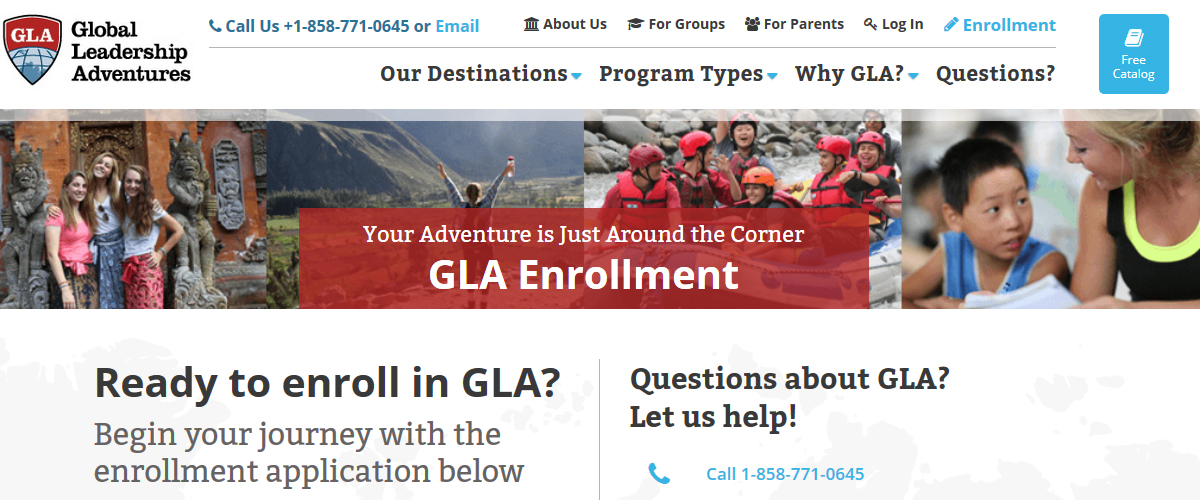
Navigate to the Enrollment page
On your broswer, enter https://www.experiencegla.com/enroll/ and once the page loads, you should see this:
Step 2
Scroll down to the 'Choose a Program' section
This is where you would select the specific program you'd like to enroll in. However, since you've decided to save your spot with GLA without enrolling in a particular program yet, you do not need to click on any location image.

Step 3
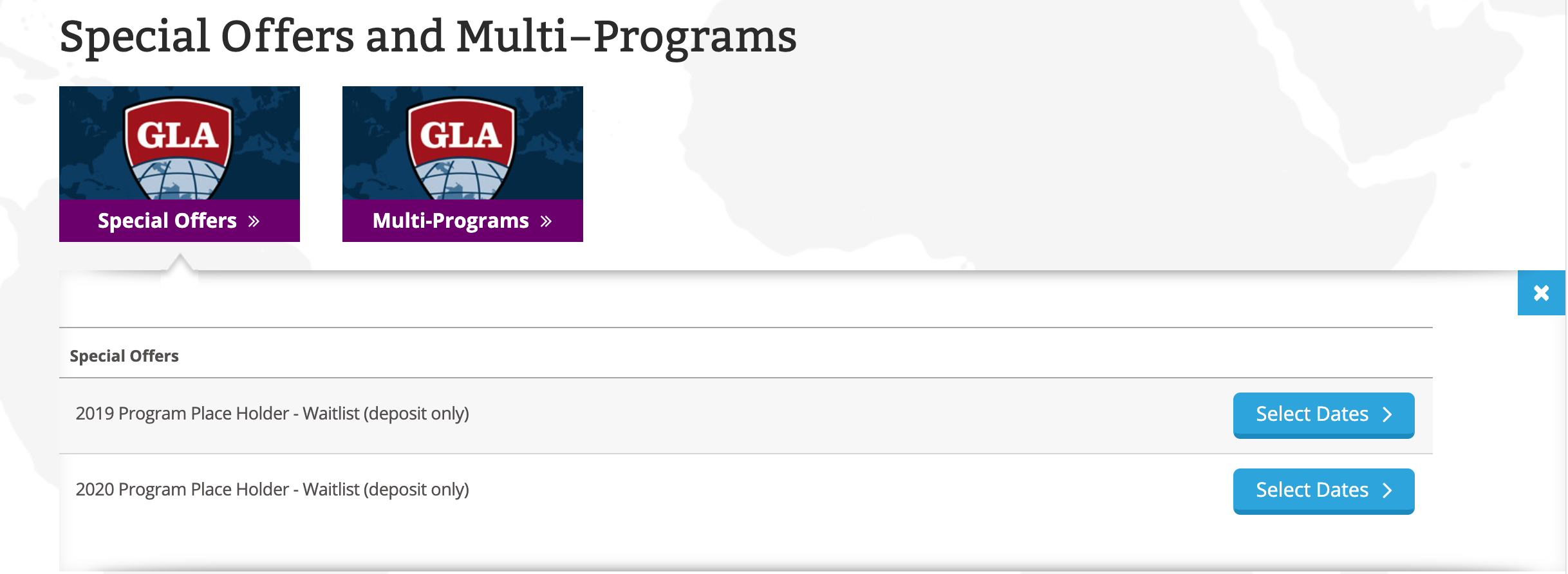
Instead, continue scrolling to the bottom of the 'Choose a Program' section, and find the sub-section titled 'Special Offers and Multi-Programs'
Click on the image with the text reading 'Special Offers.'
Step 4
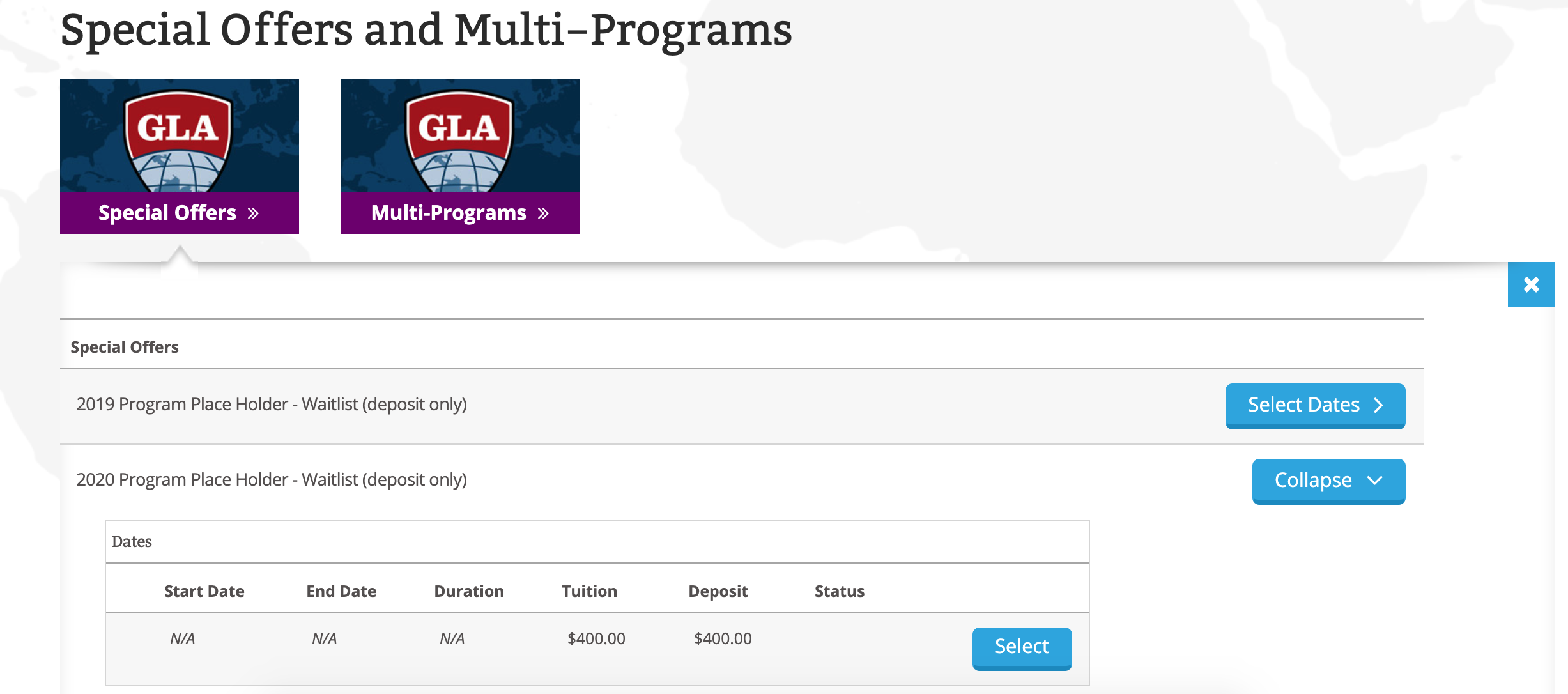
The area under 'Special Offers' should be expanded now
On the line that reads '2020 Program Place Holder - Waitlist (deposit only),' click on the 'Select Dates' button, and then click the 'Select' button.
Step 5
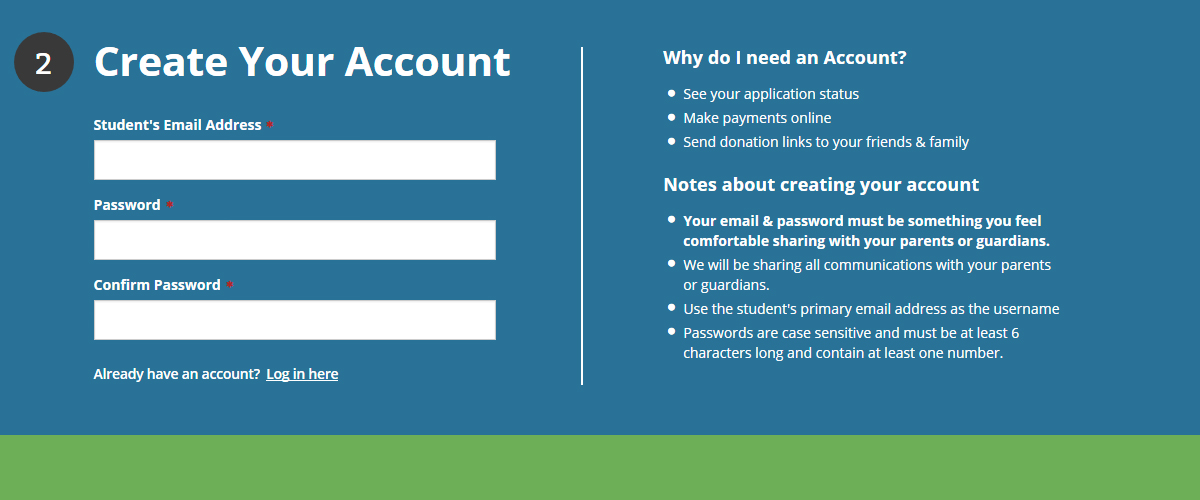
Complete the rest of the application as normal
After you clicked the 'Select' button, the page should auto-scroll you down to the 'Create Your Account' section. From here, simply follow the instructions on the page, and you'll be good to go.
 Our 21-day Flagship programs provide the ideal amount of time to satisfy every dimension of the GLA Experience.